
รายละเอียดจากผู้ผลิต (English)
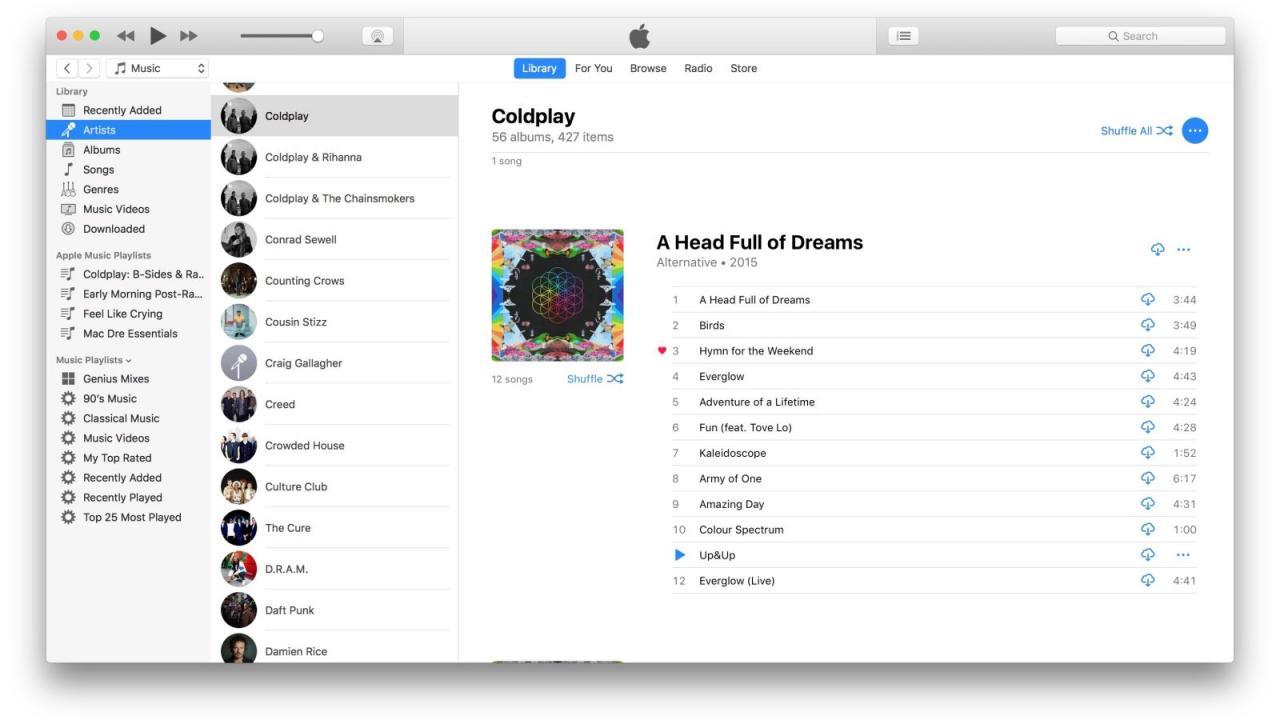
iTunes ¥1000 JP Card
อื่นๆ
ASIA
บัตรเติมเงิน & Gift Card
คำเตือน: โปรดอ่านรายละเอียดก่อนสั่งซื้อ หากซื้อแล้วไม่สามารถยกเลิกหรือขอเงินคืนได้
สินค้านี้ไม่ใช่ประเภท TH โปรดตัดสินใจก่อนสั่งซื้อ หากใช้งานในไทยไม่ได้ จะไม่สามารถยกเลิกหรือขอเงินคืนได้
สินค้าประเภทของขวัญ/บัตร/โค้ดทดลอง บางรายการมีกำหนดเวลากดใช้โค้ดหลังได้รับ (เช่น ภายใน 24-48 ชม.) แนะนำให้กดใช้ทันทีที่ได้รับคีย์ และอ่านเงื่อนไขในรายละเอียดสินค้าให้ครบ
วิธีเปิดใช้งานคีย์ (Activation)
On your iPhone, iPad, or iPod touch: On your device, tap iTunes Store, App Store, or iBooks Store. iTunes or Apple Music Gift Card amounts are credited to your Apple ID, so you can use them in any store as long as you sign in to each store with the same Apple ID. Scroll to the bottom of the Featured section and tap Redeem. Sign in with your Apple ID. Tap "You can also enter your code manually." If you have an iTunes or Apple Music Gift Card, enter the 16-digit code, which starts with X, from the back of the card. Tap Redeem. On your Mac orPC:Open iTunes. If you’re not signed in, sign in with your Apple ID. From the menu bar at the top of your computer screen or at the top of the iTunes window, choose Account > Redeem. Enter your password, then press the Return or Enter key on your keyboard, or click Sign In. If you have an iTunes or Apple Music Gift Card, enter the 16-digit code, which starts with X, from the back of the card. Click Redeem. On your Android phone: Open the Apple Music app, then tap the menu icon in the upper-left corner. Tap your Apple ID. If prompted, enter your Apple ID password. Tap Redeem. Enter the code from the back of the card, then tap Redeem again.
ข้อมูลสินค้า
| แพลตฟอร์ม | Other |
| โซนใช้งาน | ASIA (โปรดตัดสินใจก่อนสั่งซื้อ ยกเลิกไม่ได้) |
| ภาษาที่รองรับ | English |
| การจัดส่ง | รับคีย์อัตโนมัติบนเว็บทันทีหลังชำระเงิน (ปกติไม่เกิน 1-2 นาที) |
สินค้าใกล้เคียง
ดูทั้งหมด
Boosteroid Cloud Gaming ULTRA PRO - 1 Week Subscription Key
฿519 เหลือ 999+
Boosteroid Cloud Gaming ULTRA PRO - 1 Month Subscription Key
฿849 เหลือ 999+
Boosteroid Cloud Gaming ULTRA - 1 Week Subscription Key
฿474 เหลือ 999+
Boosteroid Cloud Gaming ULTRA - 1 Month Subscription Key
฿786 เหลือ 999+

XBOX Live 25 TRY Prepaid Card TR
฿96 เหลือ 999+

ExitLag Annual Subscription Plan
฿2,160 เหลือ 999+
ศูนย์บริการที่คุ้มค่า TC-TERMGAME
ความปลอดภัย
รับประกันความปลอดภัย 100%
บริการรวดเร็ว
รับสินค้าทันทีหลังจากการซื้อ
คุ้มค่าราคาถูก
ราคาถูกและพร้อมโปรโมชั่นราคาประหยัด
บริการตลอดเวลา
เปิดให้บริการตลอด 24 ชั่วโมง