

รายละเอียดจากผู้ผลิต (English)
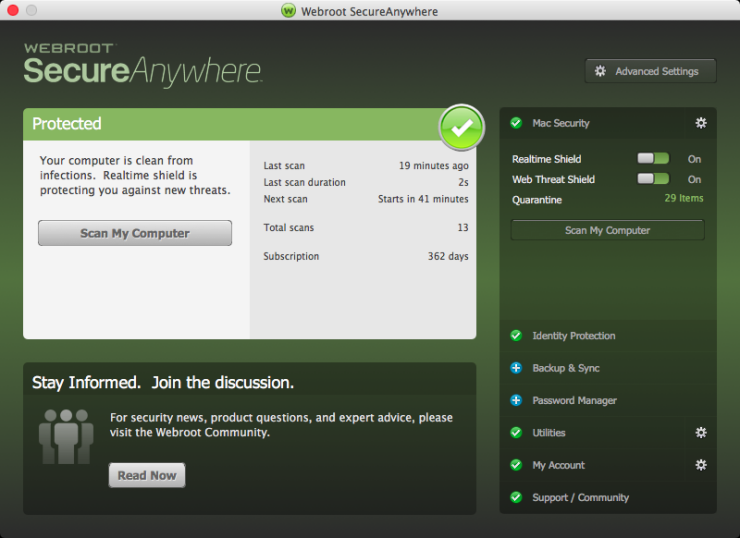
Webroot SecureAnywhere AntiVirus 2022 Key (6 Months / 3 Devices)
อื่นๆ
Global — ใช้ได้ทั่วโลก
โปรแกรม & Software
คำเตือน: โปรดอ่านรายละเอียดก่อนสั่งซื้อ หากซื้อแล้วไม่สามารถยกเลิกหรือขอเงินคืนได้
วิธีเปิดใช้งานคีย์ (Activation)
In order to redeem the code follow the instruction below: forPC:Download the software from http://anywhere.webrootcloudav.com/zerol/wsabbs2.exe Locate the file you saved and double-click the file to start the installation. When prompted, enter your keycode. Continue to follow the instructions as they appear. for
MAC:
Download the SecureAnywhere installer to your Mac from http://anywhere.webrootcloudav.com/zerol/wsamacbbs2.dmg Double-click Webroot SecureAnywhere.app to open the installer. Drag the Webroot SecureAnywhere icon into the Applications folder. Open the Applications folder by double-clicking the folder icon. In the Applications folder, double-click the Webroot SecureAnywhere icon to begin activation. In the first activation window, enter your keycode and click the Activate button. After you enter the keycode, a system prompt asks if you want to allow SecureAnywhere to make changes to your system. To confirm the installation, enter your Apple system password and click OK.
MAC:
Download the SecureAnywhere installer to your Mac from http://anywhere.webrootcloudav.com/zerol/wsamacbbs2.dmg Double-click Webroot SecureAnywhere.app to open the installer. Drag the Webroot SecureAnywhere icon into the Applications folder. Open the Applications folder by double-clicking the folder icon. In the Applications folder, double-click the Webroot SecureAnywhere icon to begin activation. In the first activation window, enter your keycode and click the Activate button. After you enter the keycode, a system prompt asks if you want to allow SecureAnywhere to make changes to your system. To confirm the installation, enter your Apple system password and click OK.
ข้อมูลสินค้า
| แพลตฟอร์ม | Other |
| โซนใช้งาน | GLOBAL — ใช้ได้ทั่วโลก |
| ภาษาที่รองรับ | English |
| การจัดส่ง | รับคีย์อัตโนมัติบนเว็บทันทีหลังชำระเงิน (ปกติไม่เกิน 1-2 นาที) |
สินค้าใกล้เคียง
ดูทั้งหมด
Avalw Shield CD Key
฿4,204 เหลือ 999+

Hunter Disk Cleaner Pro Licence Key (1 Year / 1 PC)
฿94 เหลือ 999+

PDFChef by Movavi Key (Lifetime / 1 PC)
฿321 เหลือ 999+

Luminar Neo Lite License Activation Key
฿935 เหลือ 999+

Skylum Luminar NEO Key
฿1,402 เหลือ 999+

Luminar AI License Activation Key
฿1,075 เหลือ 999+
ศูนย์บริการที่คุ้มค่า TC-TERMGAME
ความปลอดภัย
รับประกันความปลอดภัย 100%
บริการรวดเร็ว
รับสินค้าทันทีหลังจากการซื้อ
คุ้มค่าราคาถูก
ราคาถูกและพร้อมโปรโมชั่นราคาประหยัด
บริการตลอดเวลา
เปิดให้บริการตลอด 24 ชั่วโมง